JUMP BRIDGES
Ansiblex jump bridges on the map and in your routes
ARGUS finds every Ansiblex your character may use, shares the network with your alliance and routes through it – your own gates and those of your blues.
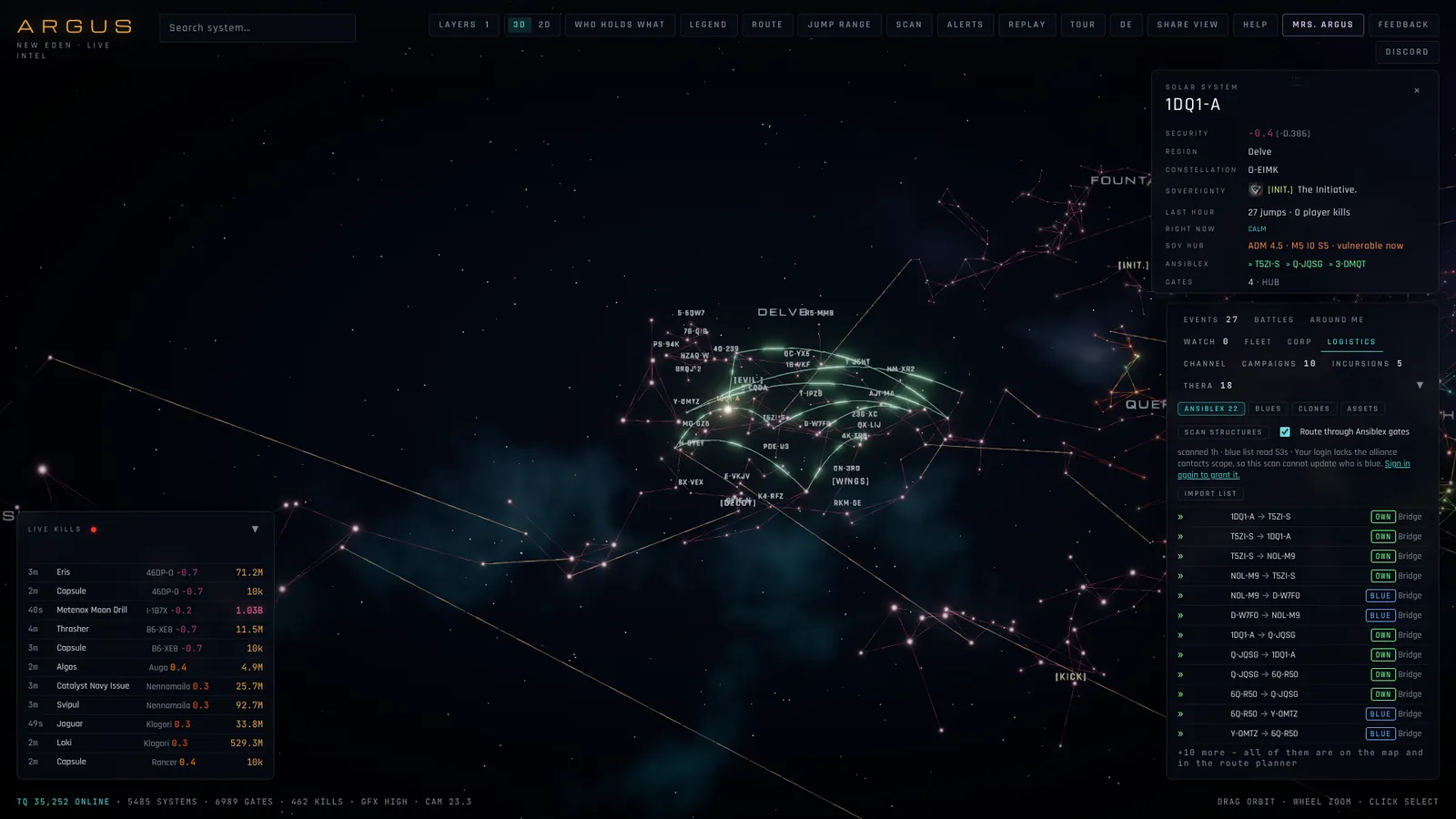
Found by itself
The structure scan runs every few hours with the token of an alliance member, members taking turns. It finds the Ansiblex gates, docks and cyno beacons your characters may use and every cyno jammer, and marks them OWN, BLUE or OTHER by your alliance’s standings.
Paste the rest
A scan only sees what your access lists allow. IMPORT LIST takes a pasted bridge list – from the game, a wiki or a spreadsheet, one gate per line – and shares it with your alliance for 30 days.
Routing through the network
With the ANSIBLEX switch the route planner uses the bridges like stargates. In the capital planner, BLUE LANDINGS prefers systems with own or blue docks and beacons, and known jammers are avoided.
Questions
Who can see our bridges?
Only members of your alliance who sign in to ARGUS.
What do I need for the scan?
The structure search scopes of a normal ARGUS login; for blue gates, a member with the alliance contacts scope.
How long do bridges stay?
Scanned gates until no member has confirmed them for two weeks; pasted lists for 30 days.
Tools
- EVE Online route planner that sees the danger – Shortest, safest or around trouble: ARGUS plans stargate routes on top of live kills, recognised gate camps and thirty days of hauler ganks – and sends the whole route to your game client.
- Jump planner for capitals and jump freighters – Like Dotlan’s jump planner – fewest jumps, then the shortest distance – plus what is going on at every landing: live kills, camps, war targets and your alliance’s own and blue structures.
- Gate camp check – live, on the map – Is the next gate camped? ARGUS watches every kill as it happens, recognises camps and fights by themselves and shows them on the map, in the route planner and as alerts.
- EVE Online sov map, live – Every alliance’s space as a coloured nebula over the real star cluster – or flat from above like the in-game map. With sov hub timers, campaigns, kills and traffic live on top.
- D-scan and local scanner with threat rating – Copy the D-scan or the local member list in game and press Ctrl+V on the map. ARGUS tells you what is out there – and who is dangerous.
- ARGUS compared with Dotlan, EVE-Eye and co. – New Eden has great third-party tools, and ARGUS does not replace all of them. Here is what each is best at – and what ARGUS adds.