SOVEREIGNTY
EVE Online sov map, live
Every alliance’s space as a coloured nebula over the real star cluster – or flat from above like the in-game map. With sov hub timers, campaigns, kills and traffic live on top.
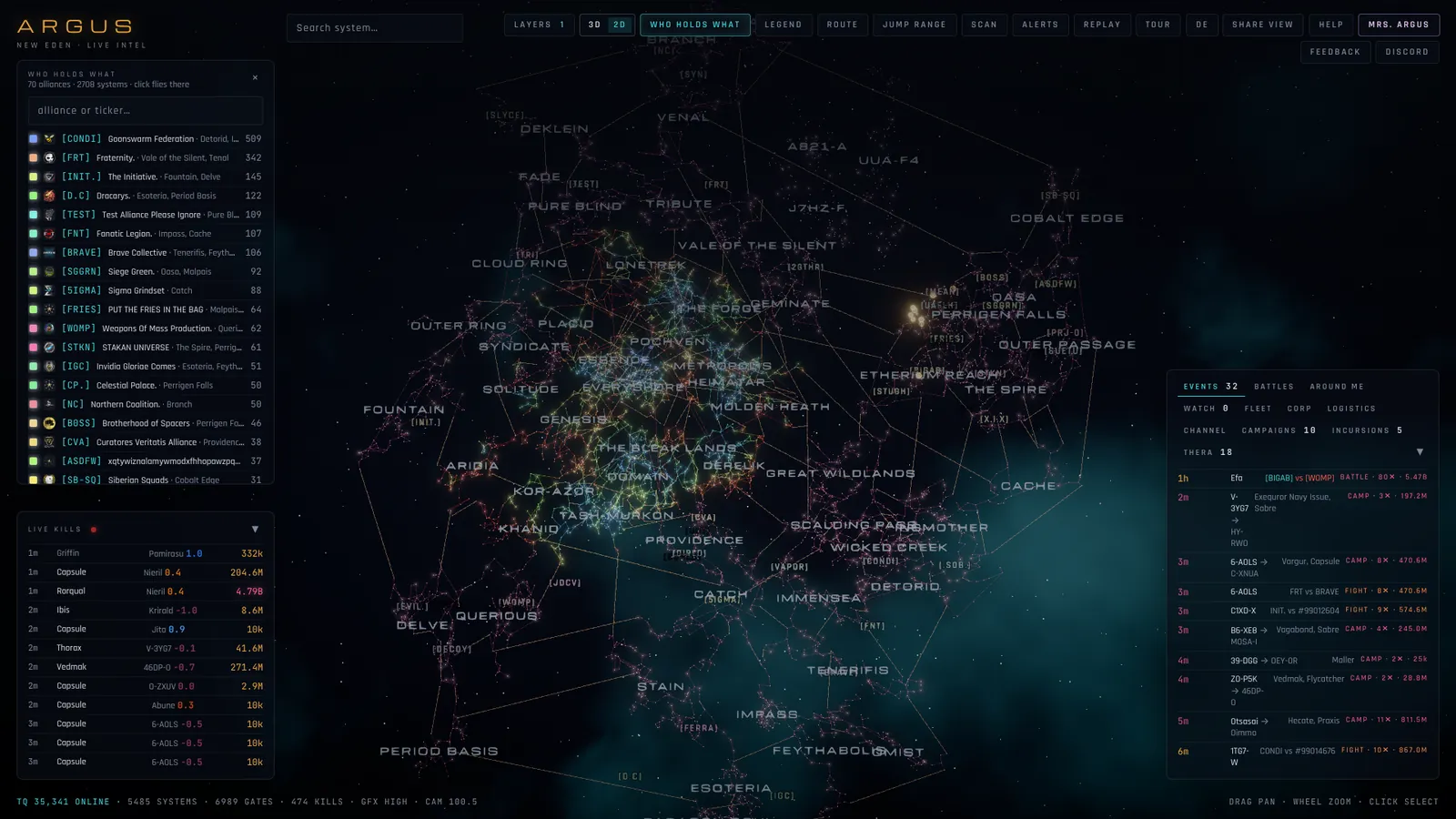
Who holds what
WHO HOLDS WHAT lists every alliance with sovereignty, its colour and how many systems it holds; a click flies there. The system panel names the holder, the sov hub and its vulnerability window.
Timers and campaigns
CAMPAIGNS counts down every running sovereignty campaign. Sov hubs show when they are vulnerable; the MY ALLIANCE layer brackets your own space.
3D or 2D
The 3D view shows New Eden as it really is, built from CCP’s coordinates. 2D shows it flat from above, north up, like Dotlan; routes and jump ranges keep the true distances either way.
Questions
How current is the sov map?
Sovereignty and campaigns come from CCP’s ESI and refresh as ESI does, usually within the hour.
Can I see faction warfare and incursions too?
Yes. The FW and INCURSIONS layers show contested systems and running incursions; THERA shows the current wormhole connections from EVE-Scout.
Does it run on a phone?
Yes, in any browser with WebGL; on small screens the interface becomes tabs.
Tools
- EVE Online route planner that sees the danger – Shortest, safest or around trouble: ARGUS plans stargate routes on top of live kills, recognised gate camps and thirty days of hauler ganks – and sends the whole route to your game client.
- Jump planner for capitals and jump freighters – Like Dotlan’s jump planner – fewest jumps, then the shortest distance – plus what is going on at every landing: live kills, camps, war targets and your alliance’s own and blue structures.
- Gate camp check – live, on the map – Is the next gate camped? ARGUS watches every kill as it happens, recognises camps and fights by themselves and shows them on the map, in the route planner and as alerts.
- Ansiblex jump bridges on the map and in your routes – ARGUS finds every Ansiblex your character may use, shares the network with your alliance and routes through it – your own gates and those of your blues.
- D-scan and local scanner with threat rating – Copy the D-scan or the local member list in game and press Ctrl+V on the map. ARGUS tells you what is out there – and who is dangerous.
- ARGUS compared with Dotlan, EVE-Eye and co. – New Eden has great third-party tools, and ARGUS does not replace all of them. Here is what each is best at – and what ARGUS adds.